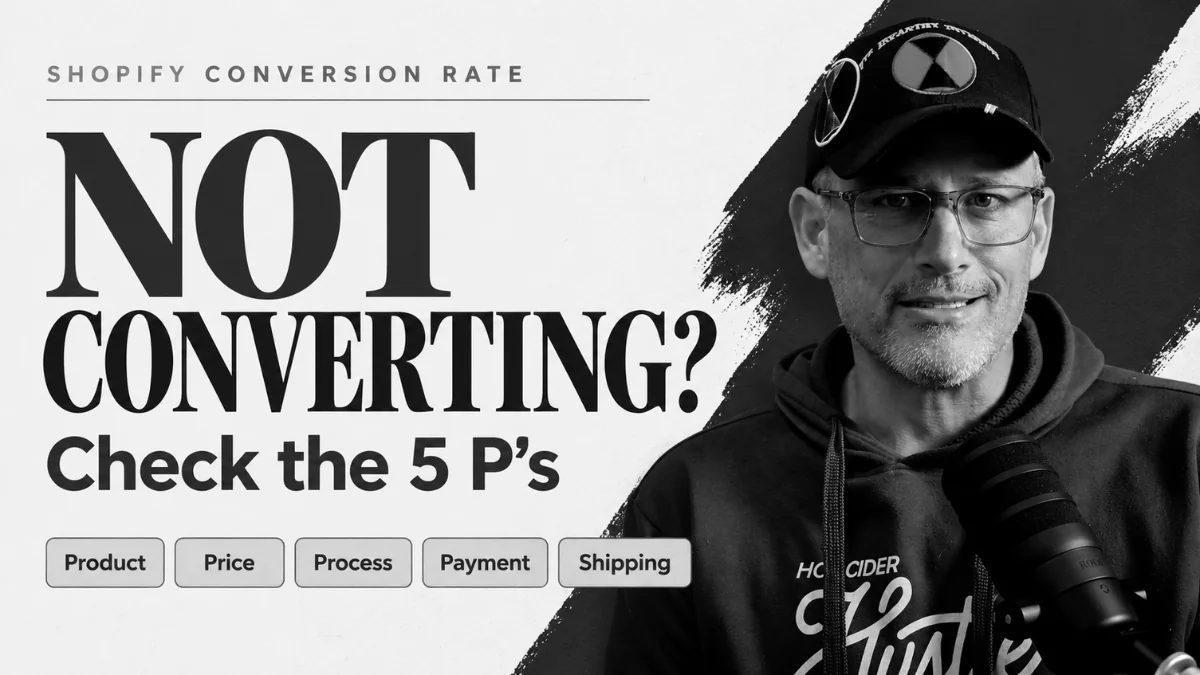
Your Shopify conversion rate is the share of store visits that end in an order. When the right people visit and few of them buy, something on the store is pushing them out. This guide is for Shopify owners in that spot. It walks through the 5 P’s we use to find the leak, and how to tell which one to fix first.
The short answer: To improve your Shopify conversion rate, first confirm the traffic is your ideal customer. Then check five things in the order shoppers hit them: product pages, price, checkout process, payment options, and shipping costs. Shopify’s conversion report shows which step loses the most people, so you know where to start.
How do you measure your Shopify conversion rate?
Your Shopify conversion rate is orders divided by sessions, times 100. So a store with 50 orders from 2,500 sessions converts at 2%. Shopify calculates it for you in the Conversion rate over time report, under Analytics, then Reports (Shopify Help Center).
Whatever your number is today, that’s your baseline. The goal is to beat it, so write it down before you change anything. Then measure again after each fix, and you’ll know which change moved it.
Watch for one trap. A big burst of cold traffic, like a new ad campaign or a post that takes off, can drop your rate even when nothing on the store got worse.
Check your traffic before you work on conversion
Fix the traffic first if the wrong people are landing on your store. No product page or checkout change will turn uninterested visitors into buyers.
Ask two questions. Are visitors coming from places your ideal customer spends time? And do they look around before they leave, or bounce in a few seconds? If they browse and still leave, the traffic is probably fine. That’s when the rest of this guide applies.
UNDR Industries is a good example of why this matters. Their traffic fell year over year on purpose, because they stopped posting memes that pulled in visitors who never bought. Fewer people came, and more of them turned into customers.
What are the 5 P’s of Shopify conversion?
The 5 P’s are the five places a Shopify store loses buyers who were interested: product, price, process, payment, and shipping. Yes, shipping doesn’t start with a P. Work with us.
Each P lines up with a step in the Shopify funnel. Shopify’s Conversion rate breakdown report tracks four of those steps: all sessions, sessions with cart additions, sessions that reached checkout, and sessions that completed checkout (Shopify Help Center). Find the biggest drop between two steps, and you know which P to check first.
- Visitors who never add to cart point to product or price.
- Add-to-carts that never reach checkout point to process.
- Shoppers who reach checkout and leave point to payment or shipping.
Product: do your product pages earn the add to cart?
If shoppers land on a product page and leave without adding to cart, start with the page itself. They were interested enough to click. Then something on the page made them lose that interest.
Check these first:
- Photos. Are they clear and professional? Shots taken on a phone in bad light make a store look sketchy, and shoppers won’t hand their card number to a store that looks sketchy.
- Descriptions. Do they answer what a shopper would ask a salesperson in person? Size, fit, materials, what’s in the box, and who it’s for.
- FAQs. Put the questions customers email you about right on the page.
- Reviews. Customer reviews give a first-time visitor proof that real people bought this and liked it.
A thin product page asks the shopper to take a risk. A built-out page gives them reasons to say yes.
Price: are you in range of what shoppers compare you to?
Your price needs to be in range of your competitors and Amazon, but it doesn’t need to be the lowest. If shoppers like the product and still don’t add it to cart, price is the next suspect.
Many of them will open a new tab, search the product on Google, and look for it cheaper somewhere else. You won’t see that happen. You’ll just see the session end.
So look at what a shopper finds when they search your product. If you’re far above everyone else, you need a reason they can see on the page, like better materials, a better warranty, or a brand they trust. But don’t start chasing the lowest price either. If every store keeps undercutting the next one, it’s a race to the bottom, and nobody wins it. A justified price beats a cheap one.
Process: how many steps does your Shopify checkout take?
Your checkout should take as few clicks as possible and never force a shopper to create an account. When add-to-carts stay steady but orders don’t follow, a long or annoying checkout is usually why.
Shoppers are used to buying on Amazon in one click. Every extra field, page, or sign-up wall gives them a reason to quit. Among US shoppers who abandoned an online order, 18% left because the site wanted them to create an account. Another 17% left because checkout was too long or complicated (Baymard Institute).
Turn on guest checkout. Cut any step you can’t defend. Yes, you want the customer’s data. Get it after they’re a customer, through the order confirmation and a good post-purchase email sequence. Your goal at checkout is revenue.
Payment: is the shopper’s favorite option there?
Offer every payment method you reasonably can, including Apple Pay, Google Pay, PayPal, and Shop Pay. A missing payment option is rarely the main reason a store loses sales, but it does cost some.
In Baymard Institute’s research, 9% of US shoppers who abandoned an order said there weren’t enough payment methods (Baymard Institute). That’s a small share. It’s also one of the easiest fixes on this list, because Shopify supports most of these as accelerated checkout buttons you switch on in your payment settings (Shopify Help Center).
The point is to make paying you as easy as liking the product was.
Shipping: is the final total chasing buyers away?
If shoppers make it to the last step of checkout and then leave, the shipping charge is the likely cause. They saw the full total for the first time and decided it wasn’t worth it.
Baymard Institute’s research backs that up. Extra costs like shipping, tax, and fees were the top reason for abandoned orders, at 40%. Another 12% left because they couldn’t see the total cost up front (Baymard Institute). Plenty of those shoppers go back to Amazon, where Prime means they don’t pay shipping at all.
You can’t match Amazon, and you shouldn’t lose money on shipping to try. Protect your margin. But a flat rate shown early, like $5.95 on every order, tells shoppers the cost before checkout surprises them. Whatever you charge, it can’t be so far out of line that a shopper thinks there’s no way they’re paying that.
What we’ve seen raise a Shopify conversion rate
The stores that improve their Shopify conversion rate fix the step where shoppers actually leave. Owners often start with whatever is easiest to change, and the data usually points somewhere else.
UNDR Industries is the clearest case we have. When we started, the brand was stalled and the founder was close to shutting it down. Social posts were pulling in visitors who liked memes and never bought. We cut that, rebuilt the email program, and put the founder’s own voice back in front of customers. Then the numbers moved (UNDR case study):
| Measure | Before | After |
|---|---|---|
| Conversion rate | 1.82% | 2.38% |
| Add-to-cart rate | 17.1% | 18.4% |
| New customers, share of all customers | 17.8% | 34.9% |
Traffic went down while all of that happened, and that was the plan.
The mistake we see most is at checkout. Owners want the email address and the account so badly that they make people sign up before they can pay. Get the revenue first. You’ll get the customer data once they’re a customer.
Frequently asked questions
A low Shopify conversion rate usually means one of two things. Either the traffic isn’t your ideal customer, or the right visitors hit a problem on the store. Check traffic quality first. Then open Shopify’s Conversion rate breakdown report and find the step with the biggest drop. That step tells you whether to look at product pages, price, checkout, payment, or shipping.
Guest checkout removes one of the most common reasons shoppers quit. In Baymard Institute’s research, 18% of US shoppers who abandoned an online order did it because the site wanted them to create an account. So if your store forces sign-up before payment, turn on guest checkout. You can still collect the email at checkout and invite customers to make an account after they buy.
Free shipping helps if your margins can carry it, but it isn’t the only fix. The bigger problem is a surprise total on the last screen. Extra costs like shipping, tax, and fees were the top reason for abandoned orders in Baymard Institute’s research. A flat rate shown early, or free shipping over a set order value, tells shoppers the cost before checkout does.
Not until you know where the store is losing buyers. More traffic sent to a store with a leak means paying for more people to leave. Find the step with the biggest drop in Shopify’s conversion report and fix that first. Then more traffic is worth paying for, because more of it turns into orders.
Find the leak in your store
Pull up your Conversion rate breakdown report this week and find the step with the biggest drop. Then work through the P that matches it before you spend another dollar on traffic. If you’d rather have someone find the leak and fix it, that’s what Big Brain Strategy does for Shopify stores.
Tell us what needs to get done. We’ll tell you if we can do it.
Leave a Reply